
Your workout
is
the timer.
Paste your workout.
Press
play.
Just train.
Write or paste your workout, press
play, and
let SetCast turn it into a guided training session.
Free to use · Pro for 1 year or Lifetime
Built for training
Everything you need. Nothing in the way.
SetCast keeps workout setup simple and guides the session once you press play.
Your text is the workout.
Write or paste workouts in plain text with timed steps, rep targets, rests and repeat blocks. No rigid workout builder required.
Less screen. More training.
Audio cues, countdowns and haptic feedback guide the session while optional media sync keeps your workout aligned with your music or podcast.
Train with your music.
Keep Spotify, YouTube Music, podcasts or other audio playing while SetCast keeps workout cues clear without taking over your listening.
Built for EMOM and interval training.
Run 1-minute, 2-minute or longer target intervals with rep goals. Finish early to earn rest, then review completion, work time, time left, best times and drift.
Plan your training week.
Assign a workout to one or several weekdays and see your week in a rolling Schedule view starting with today. Workouts without a day stay available under Any day.
Private by default.
No account required. Your workouts and training data stay on your device unless you explicitly choose to share something.
Free or Pro
Start free. Choose Pro when you want more.
SetCast is free to download and use. Pro is available either for one year with no automatic renewal, or as a one-time Lifetime purchase.
SetCast Free
No account required. No ads.
Everything you need to create, run and share workouts.
-
✓ Create, edit and plan workouts
Build workouts directly in SetCast and assign them to one or more days of the week.
Learn more -
✓ Smart editing tools for faster workout setup
Use built-in editing helpers to create and adjust workouts quickly.
Learn more -
✓ Audio, visual and haptic cues
Stay focused during training with clear cues for intervals, exercises and transitions.
-
✓ Stats, sharing and shared workout links
Review workout information and share workouts with others through SetCast links.
Learn more -
✓ Up to 5 saved workouts
Keep up to five workouts saved in the Free version.
-
✓ Workouts up to 20 minutes
Free workouts can run for up to 20 minutes.
SetCast Pro
Same Pro features · Two ways to unlock
Everything in Free, plus:
-
✓ Unlimited saved workouts
Save as many workouts as you need without the Free limit.
-
✓ Unlimited workout duration
Create longer workouts without the Free duration limit.
-
✓ Interval and Challenge Mode
Use additional workout modes for interval-based and goal-based training, such as EMOM, E2MOM, with in-depth stats.
Learn more -
✓ AI Prompt
Create or modify workouts with your preferred AI assistant using SetCast's workout format.
Learn more -
✓ Media Connect
Pause and resume your workout together with your music using your headset controls. No need to switch between apps when you get interrupted.
Learn more -
✓ Import and export workouts
Move workouts between devices, keep your own backups or share workout files.
1 Year Pro
No automatic renewal
Pro access for one year. When the period ends, you can choose to purchase Pro again.
Lifetime Pro
One-time purchase
Unlock Pro permanently with a single purchase.
SetCast Pro is purchased inside the Android app through Google Play.
How it works
From workout idea to finished session.
Organize, edit, train and share text-based workouts with SetCast.
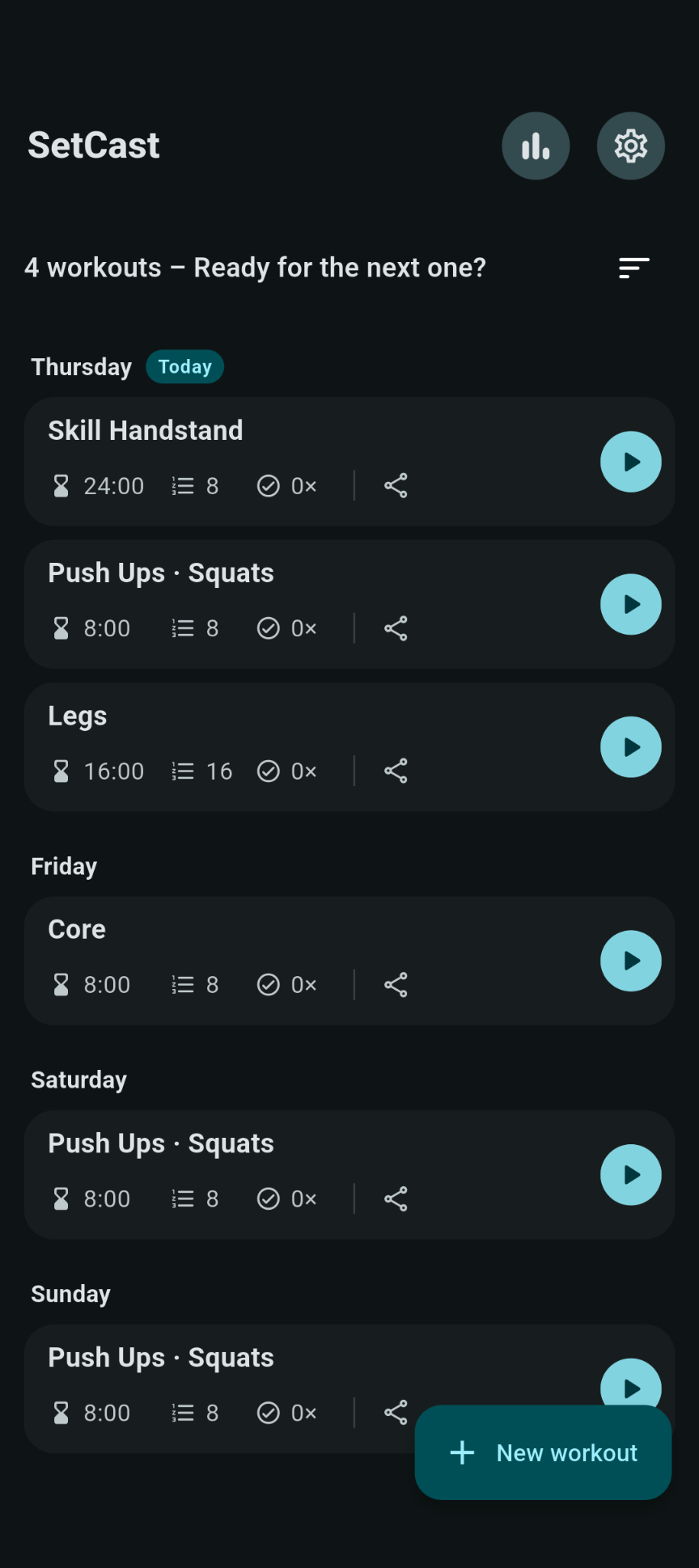
Manage workouts
Keep your workouts ready to go.
Start on the home screen, where your workouts are ready to edit, share or play whenever you want to train.
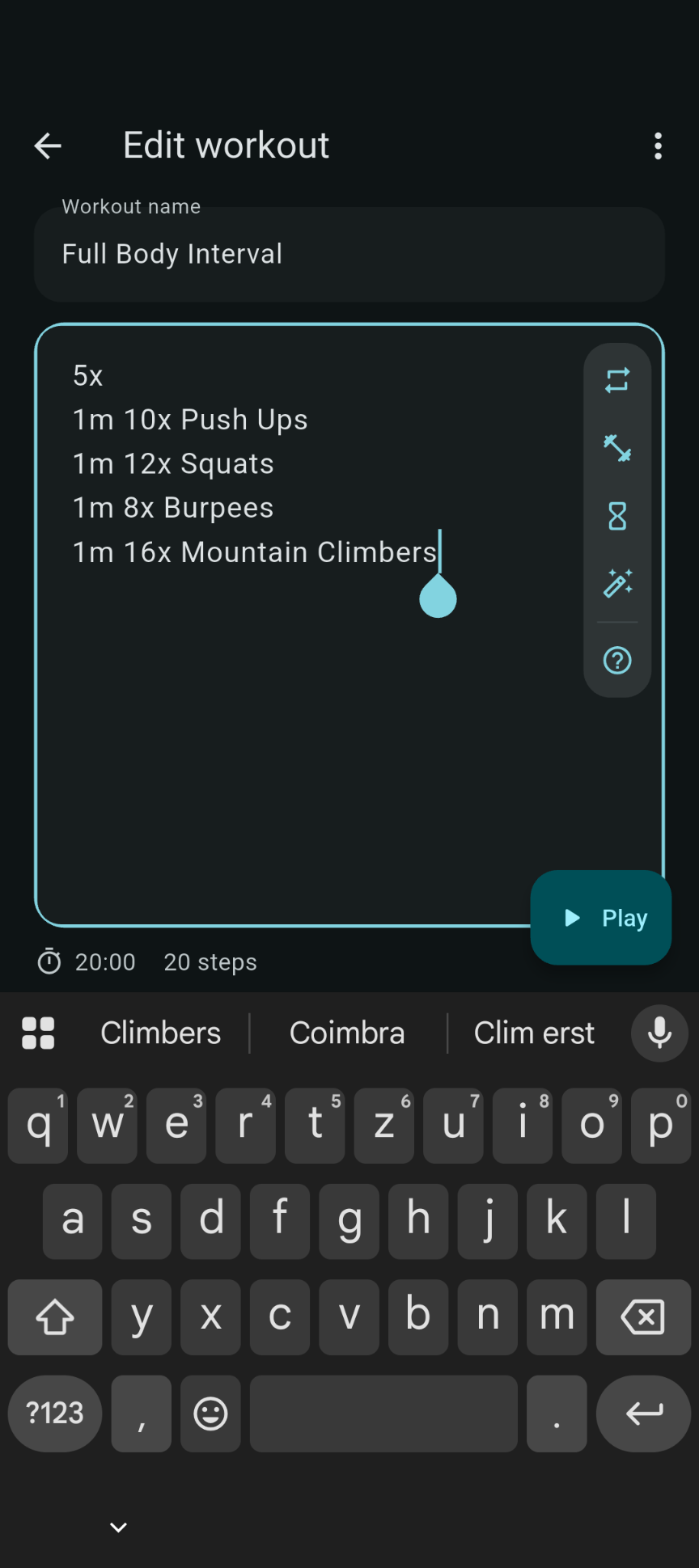
Edit
Build workouts quickly with editing tools.
Edit your workout text and use the helper toolbar to add structure faster without getting lost in complicated menus.
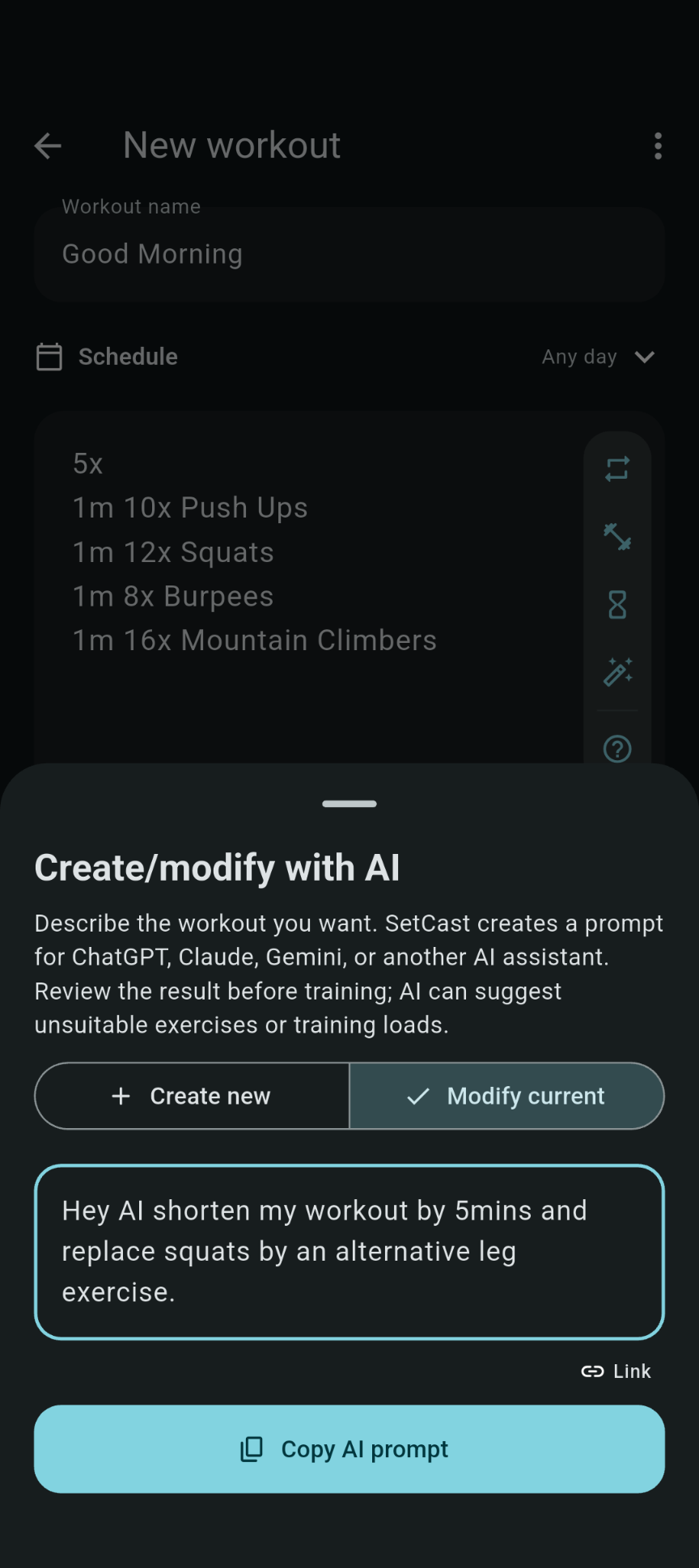
AI Support
Turn an idea into a workout faster.
Use SetCast's AI Prompt to describe the workout you want, then create or refine it with your preferred AI assistant while keeping the result in SetCast's plain-text format.
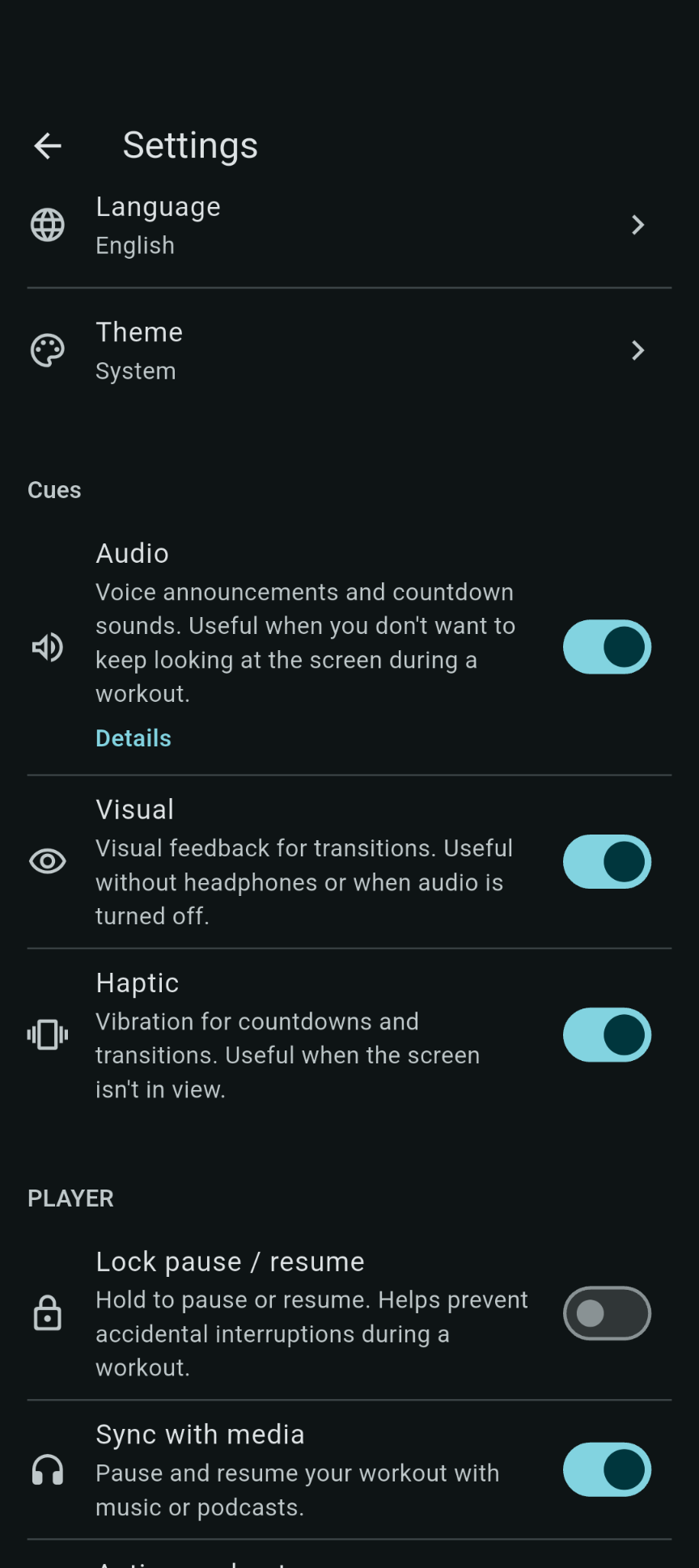
Settings
Make SetCast work the way you train.
Adjust cues, feedback and workout behavior to match your preferences, so SetCast stays out of the way while you focus on the session.
With Media Connect, your headset controls can pause and resume both your music and your workout together. If you get interrupted, one tap is enough instead of switching between multiple apps.
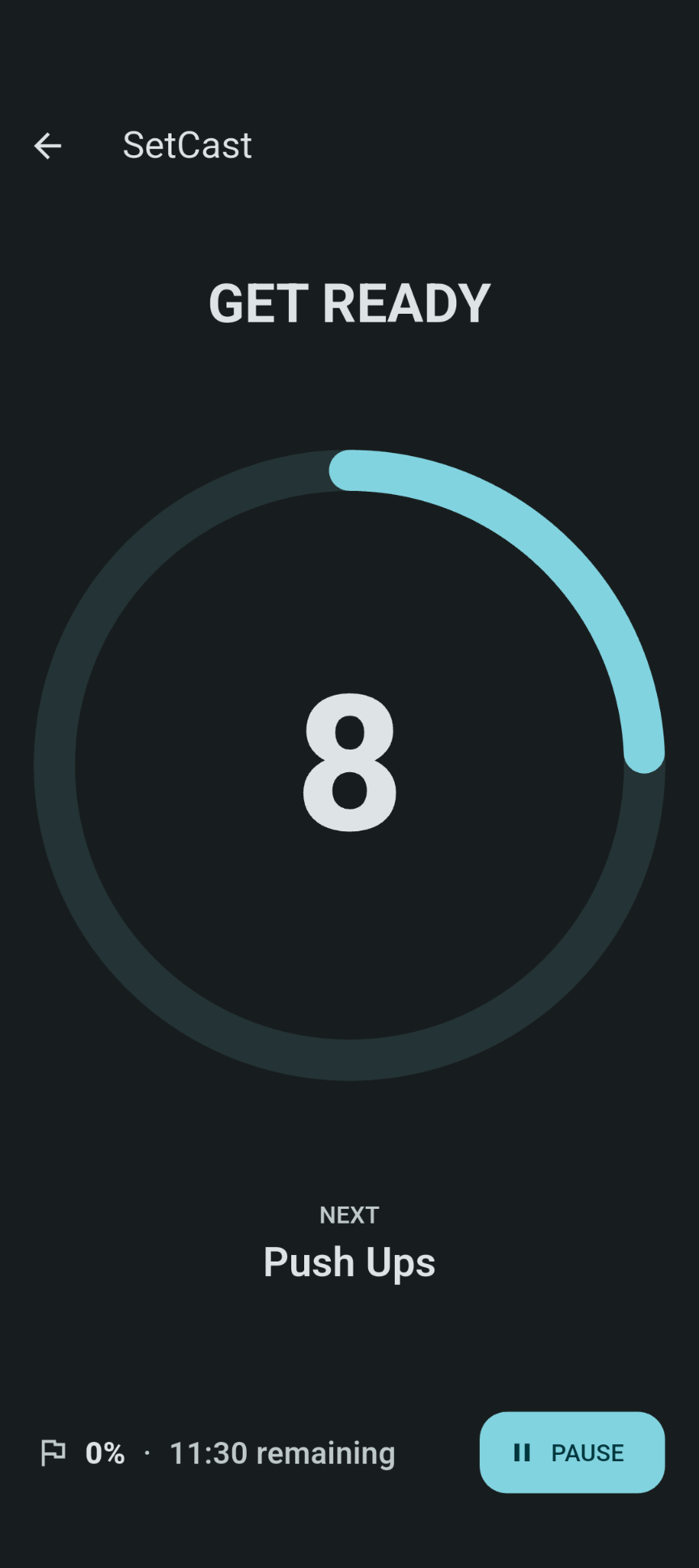
Get ready
Get prepared before the work starts.
Before each exercise, SetCast gives you a clear heads-up with cues so you can get into position and focus.
Optional Challenge Mode adds interval formats like EMOM and ExMOM, with stats that help you track and compare your performance across session rounds.
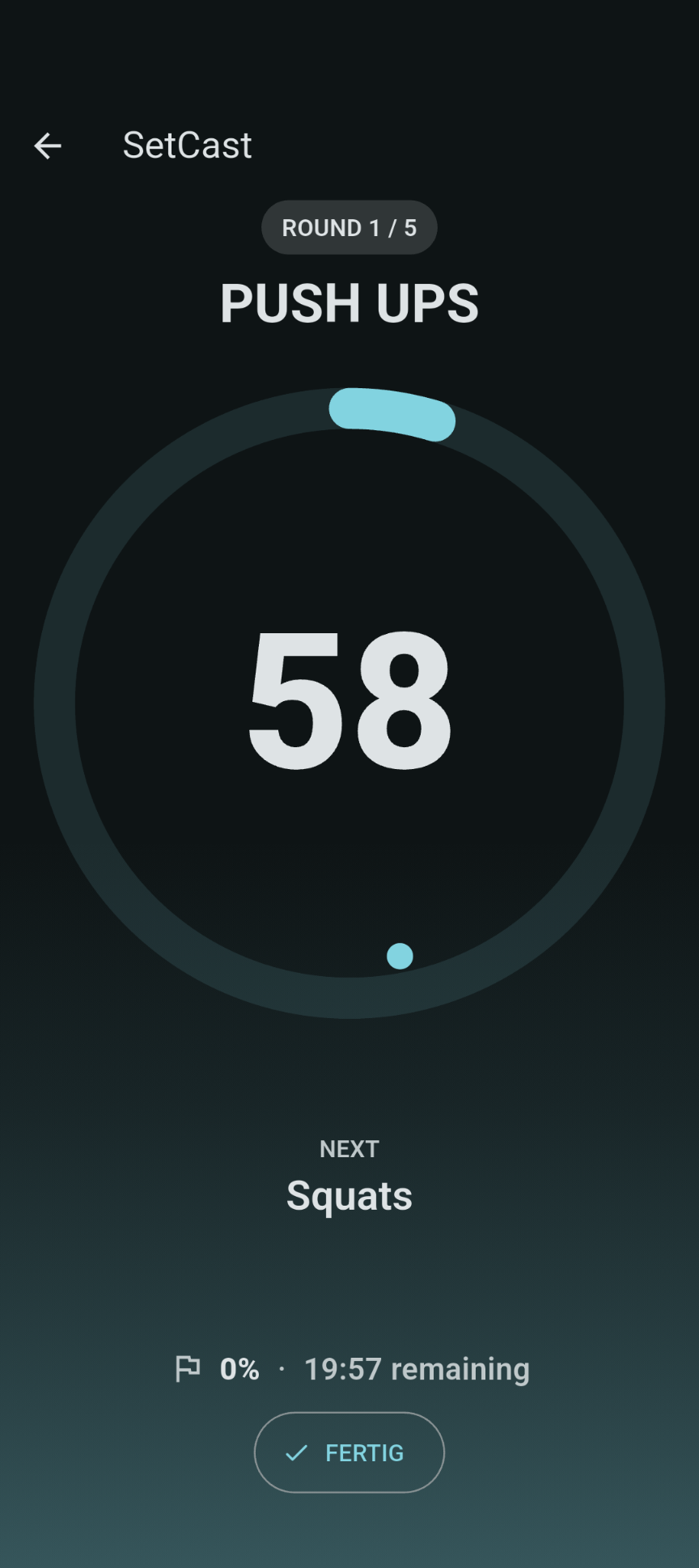
Exercise
Stay in the movement with clear cues.
During the exercise, SetCast shows what you are doing and how long is left, while audio cues, haptics and vibration keep you on track.
Music ducking makes important cues easier to hear, and optional music sync can start or pause the exercise together with your music.
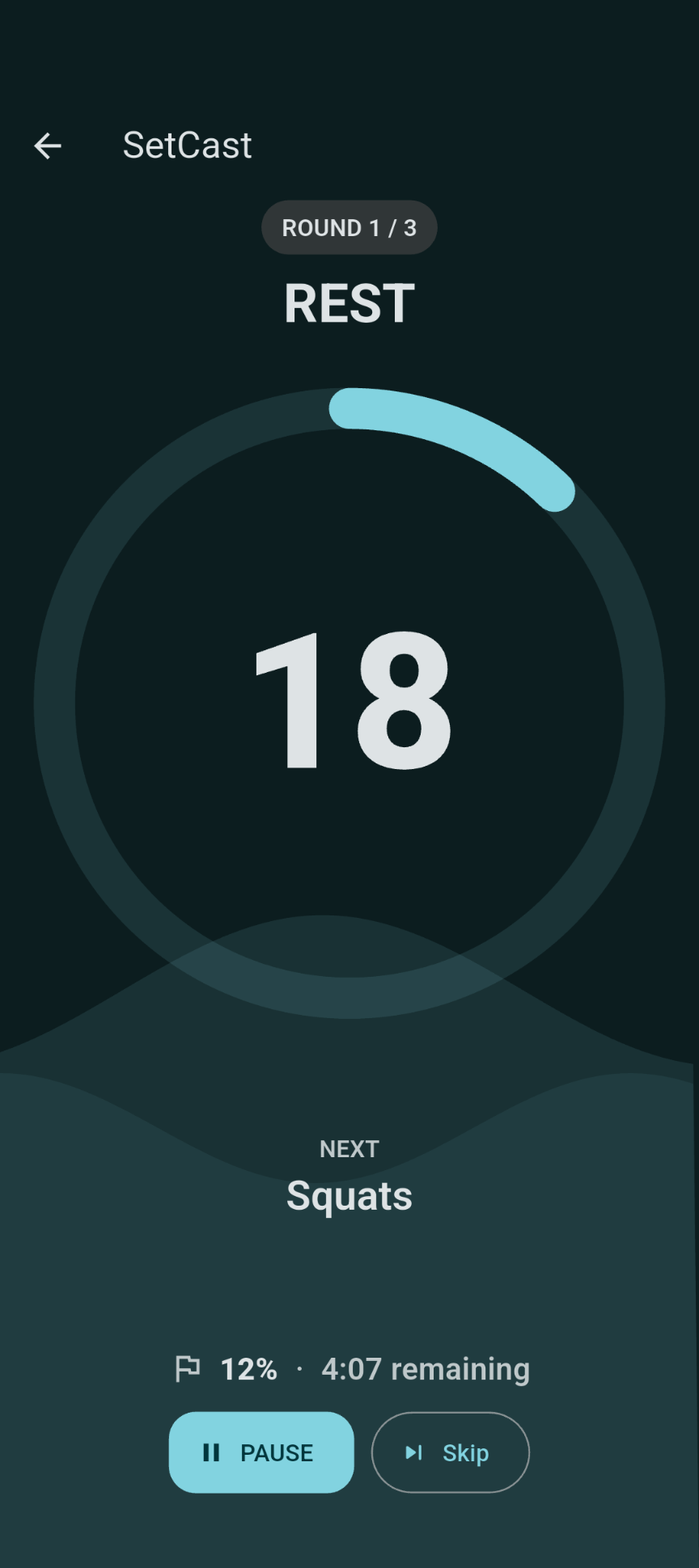
Rest
Recover between efforts.
In rest phases, the calmer screen design helps you breathe, recover and get ready for what comes next.
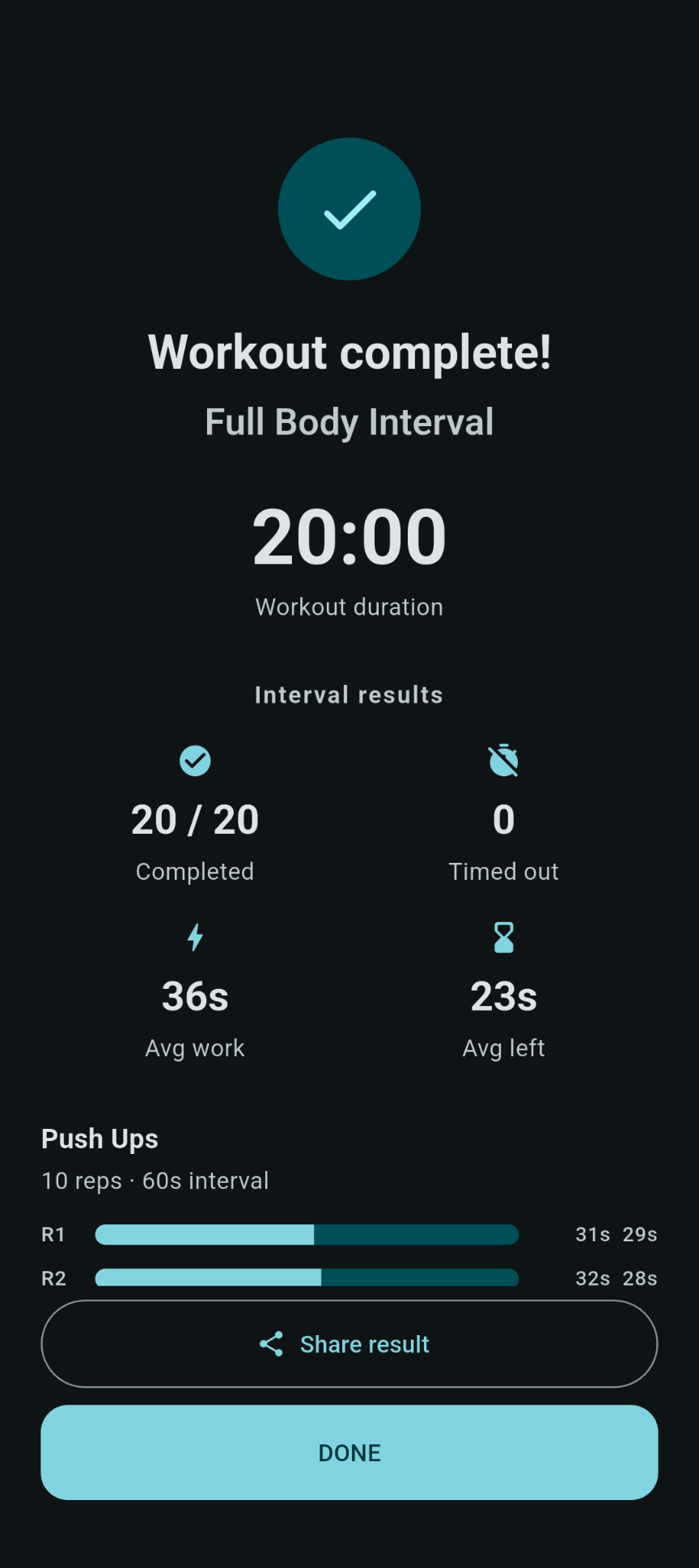
Completed
Finish with a clear sense of progress.
When the workout is complete, SetCast gives you a clear summary of the session so you can see what you accomplished and end on a satisfying note.
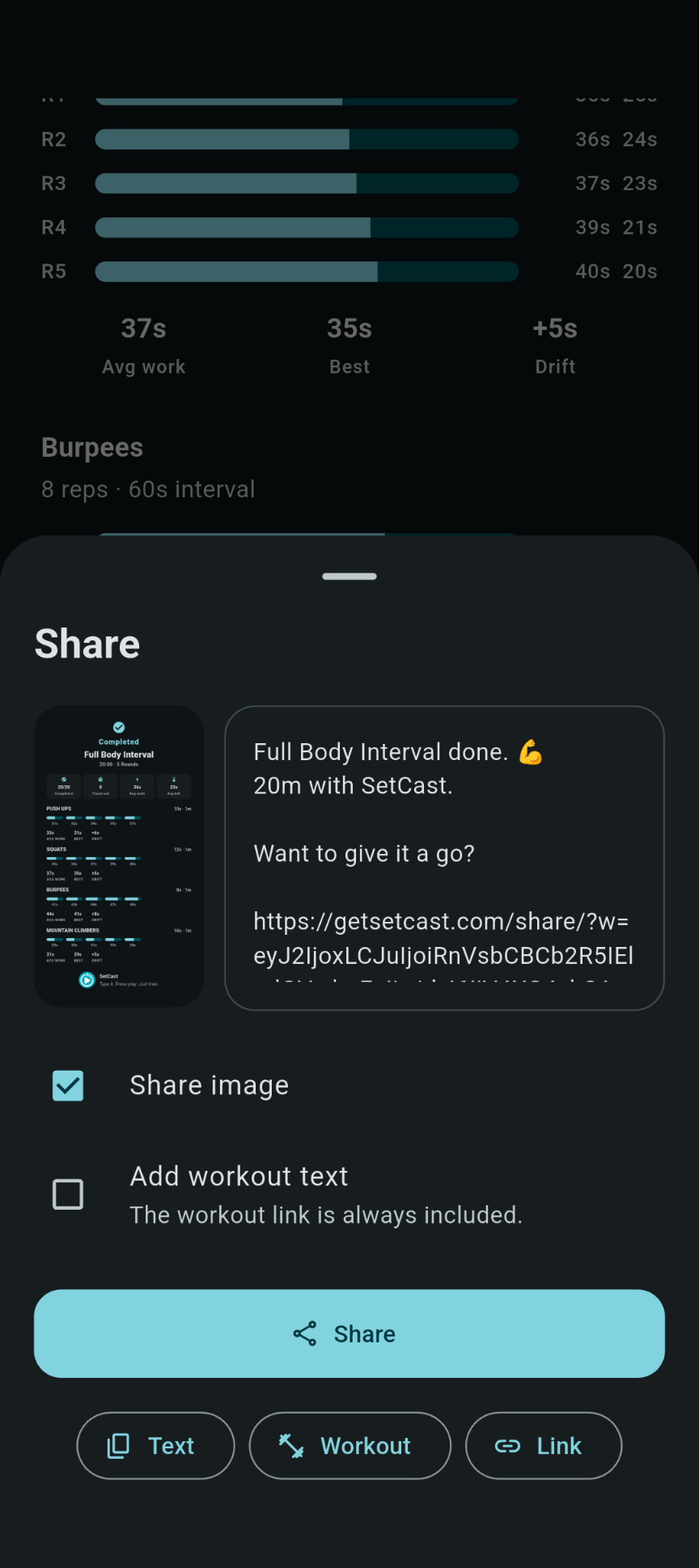
Share
Share your success with friends.
Send your workout or your success to friends and enjoy training together, even when you are not in the same place.